
65 vs 75 vs 86 Inch Interactive Flat Panel: Which Size Should You Choose?
Choosing the right interactive flat panel size is one of the most important decisions for schools, training centers, meeting rooms, and AV projects. A display that is too small can make content difficult to read from the back of the room, while an oversized screen may increase project costs without adding practical value.
The most popular choices are 65-inch, 75-inch, and 86-inch interactive flat panels. Each size is suited to different room layouts, audience sizes, and collaboration needs.
This guide will help you choose the right size for your project.
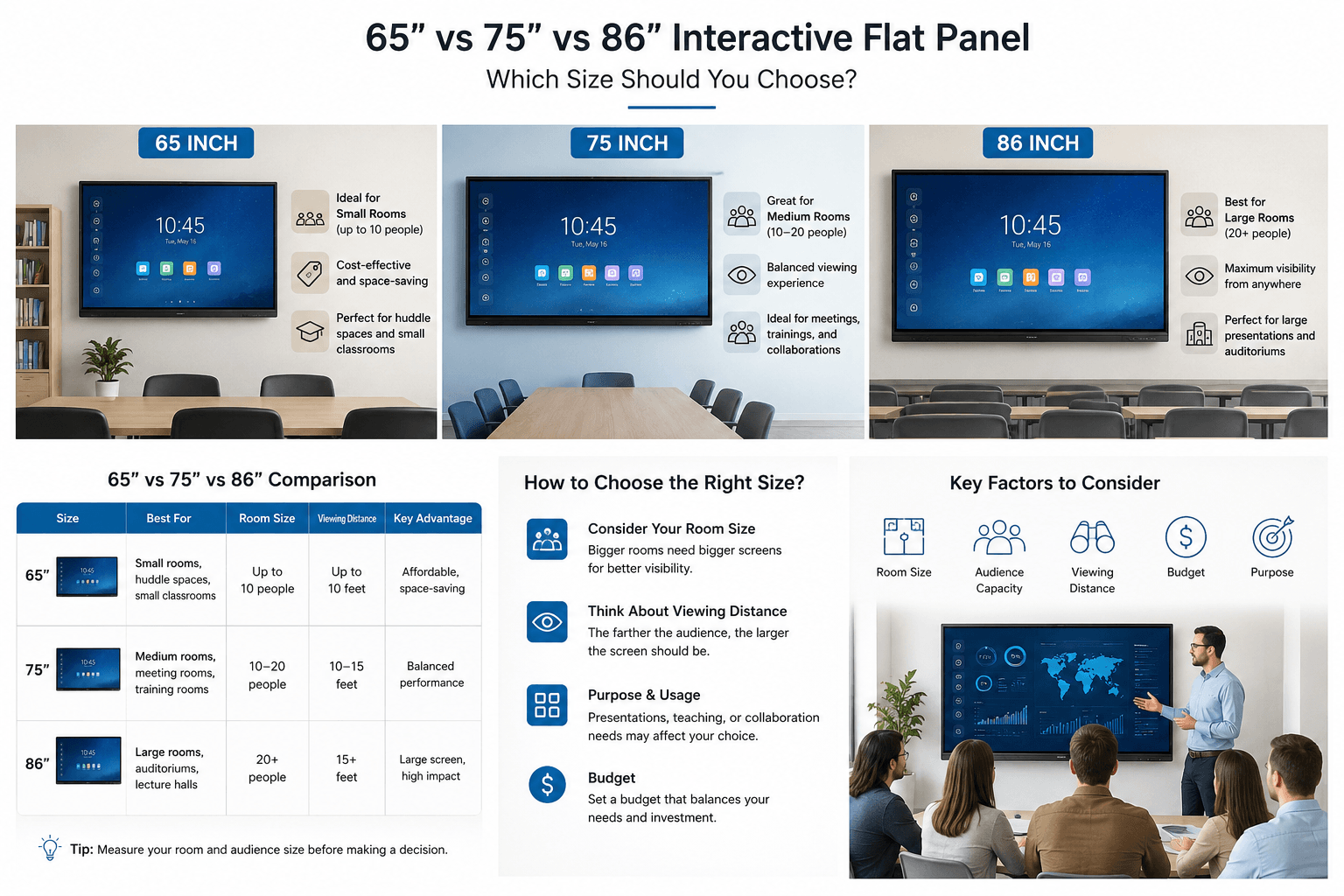
65-Inch Interactive Flat Panel: Best for Small Rooms and Huddle Spaces
A 65-inch interactive flat panel is a practical choice for small classrooms, small meeting rooms, training rooms, and huddle spaces.
It provides a clear 4K display and interactive collaboration experience without taking up too much wall space. For rooms with approximately 6–12 participants or small groups of students, a 65-inch panel is often enough for presentations, annotation, screen sharing, and video conferencing.
A 65-inch model is ideal when:
- The room is compact
- Viewers are seated relatively close to the screen
- The project has a controlled budget
- The display will be used for small-group teaching or meetings
- Easy installation and transportation are important
For distributors and project contractors, 65-inch interactive flat panels are also popular because they are easier to stock, ship, and install than larger models.

75-Inch Interactive Flat Panel: The Most Versatile Choice
The 75-inch interactive flat panel is often considered the best all-around option. It offers a noticeable improvement in viewing area compared with a 65-inch display, while remaining suitable for most standard classrooms and conference rooms.
This size works well for approximately 12–25 people, depending on room layout and viewing distance. It is widely used in K–12 classrooms, corporate meeting rooms, training centers, and government projects.
A 75-inch model is ideal when:
- You need a balanced option between cost and visibility
- The room is medium-sized
- More participants need to see presentations, spreadsheets, and video content clearly
- The display will be used for both teaching and business collaboration
- You want a popular size with broad market demand
For many education and corporate projects, the 75-inch size is the safest recommendation because it meets the needs of most users without requiring the higher investment of an 86-inch screen.

86-Inch Interactive Flat Panel: Best for Large Classrooms and Conference Rooms
An 86-inch interactive flat panel is designed for larger spaces where content needs to be visible from a greater distance. It is a strong choice for large classrooms, lecture rooms, boardrooms, conference centers, and multi-purpose training rooms.
The larger display area makes it easier for audiences to view detailed presentations, diagrams, teaching materials, dashboards, and video content. It also creates a more impressive and engaging visual experience for high-end projects.
An 86-inch model is ideal when:
- The room is large or deep
- The audience includes 20 or more people
- Participants sit farther away from the screen
- The project requires a premium, high-impact display solution
- Detailed content needs to remain readable from the back of the room
Although 86-inch panels require more installation space and a higher budget, they are often the preferred choice for projects where visibility and presentation quality are critical.
Quick Comparison: 65 vs 75 vs 86 Inch
| Screen Size | Recommended Room Type | Typical Audience Size | Main Advantage |
|---|---|---|---|
| 65 Inch | Small classroom, huddle room, small office | 6–12 people | Cost-effective and space-saving |
| 75 Inch | Standard classroom, meeting room, training room | 12–25 people | Best balance of price and viewing area |
| 86 Inch | Large classroom, boardroom, lecture room | 20+ people | Excellent visibility for larger audiences |
Other Factors to Consider Before Buying
Screen size is important, but it is not the only factor. Before selecting an interactive flat panel, you should also consider:
- Room dimensions and seating layout
- Viewing distance from the last row
- Wall-mounted or mobile stand installation
- Android system and optional Windows OPS requirements
- Touch points and writing performance
- Built-in camera, microphone, and speaker requirements
- Wireless screen sharing and video conferencing needs
- Branding, software, packaging, and OEM/ODM customization requirements
A well-matched interactive flat panel should fit both the room and the way people will use it.
AroTouch Interactive Flat Panel Solutions
AroTouch offers 65-inch, 75-inch, and 86-inch interactive flat panels for education, business collaboration, and customized OEM/ODM projects.
Our solutions can be configured according to your market and project requirements, including Android and Windows options, touch technology, camera and microphone integration, customized branding, packaging, and more.
Whether you are sourcing interactive displays for a school project, meeting-room installation, or private-label distribution business, our team can help you select the right model and configuration.
Get a Quote for Your Project
Not sure which size is right for your room or market?
Send us your project details, including room size, required quantity, destination country, and customization needs. Our team will recommend a suitable 65-inch, 75-inch, or 86-inch interactive flat panel solution and provide a quotation within 24 hours.